

Add a store
-
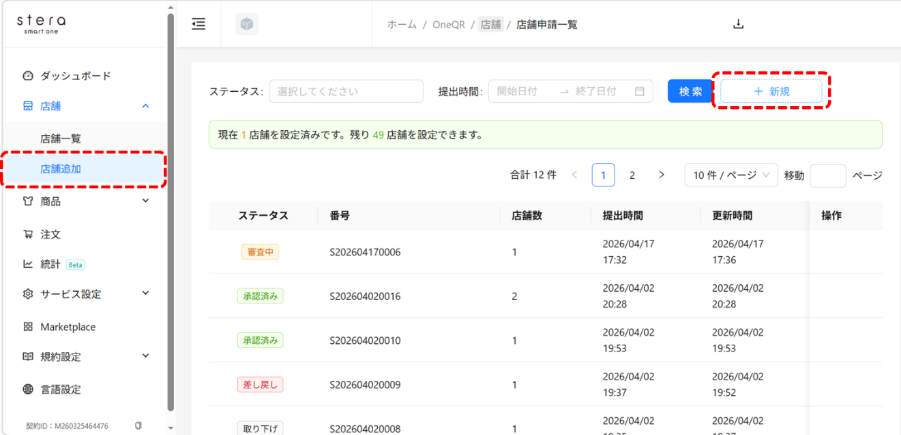
You can apply to add a store from "+新規" (New) at the top right of the screen.
Adding a single store
-
Enter the store information (store name, address, etc.).
Field What to enter "店舗名" (Store name) Enter the name of the store that will use the service "店舗郵便番号" (Store postal code) Enter the postal code of the store that will use the service "店舗住所" (Store address) Enter the address of the store that will use the service "店舗電話番号" (Store phone number) Enter the phone number of the store that will use the service "クレジット(VM)取扱区分情報" (Credit (VM) handling category information) Select the handling categories you have contracted for 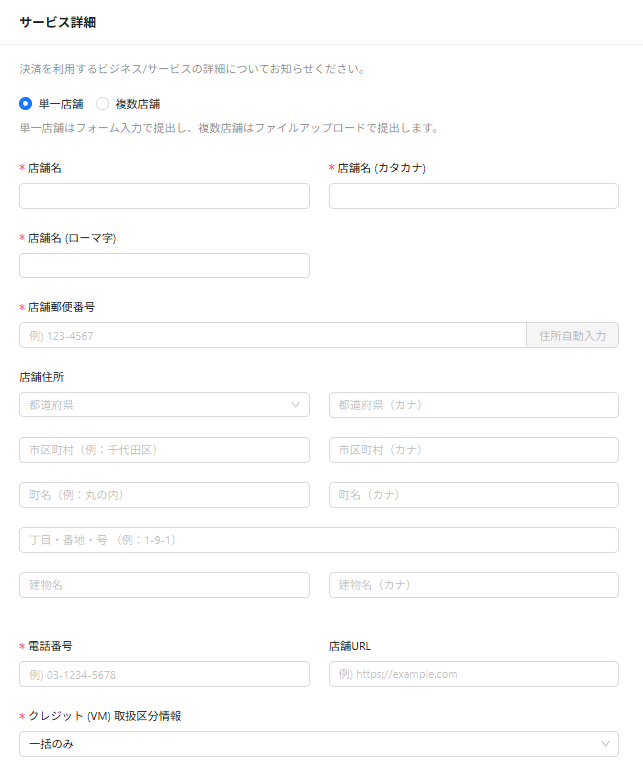
-
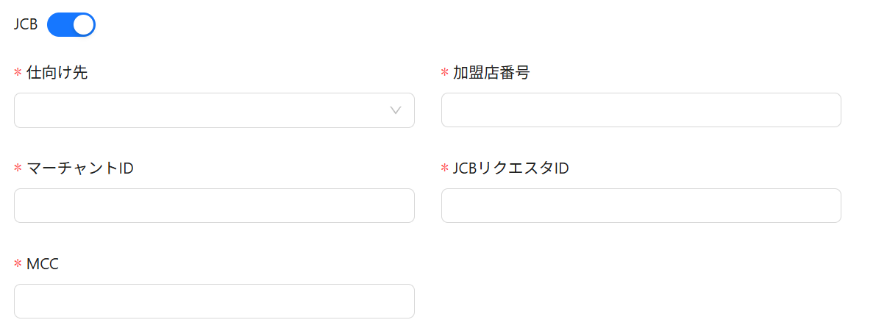
If you have a contract with JCB/AMEX/DINERS, click the button and fill in the fields.

Adding multiple stores
-
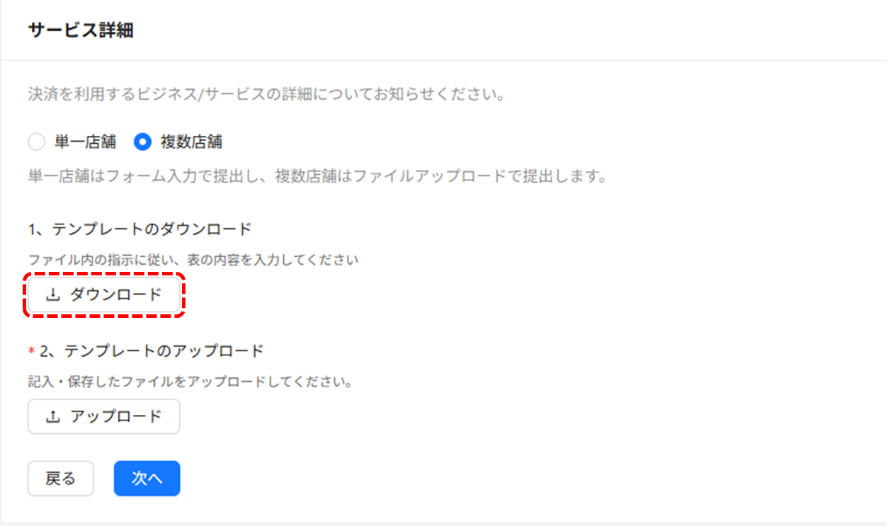
Select "複数店舗" (Multiple stores) and download the template.
-
Upload the completed file.
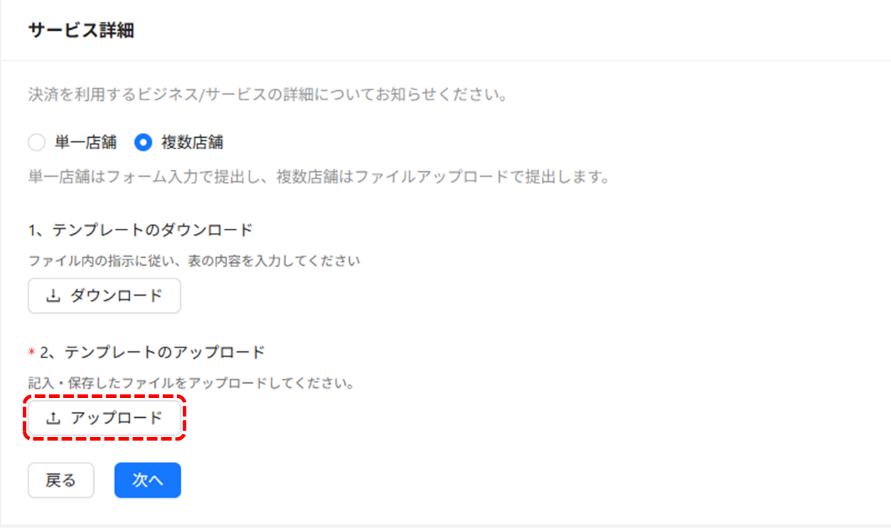
-
Click "次へ" (Next), review your entries, and click the "提出" (Submit) button.
-
Your store addition application is now complete.
※We will notify you at your registered email address once the store becomes available.
Last updated on