

Customer creation
By creating customers with the stera smart one Customer feature, you can charge them on a recurring basis or accept payments using their registered payment methods. The stera smart one Customer feature uses both the Client SDK and the API.
Overview of the customer creation flow
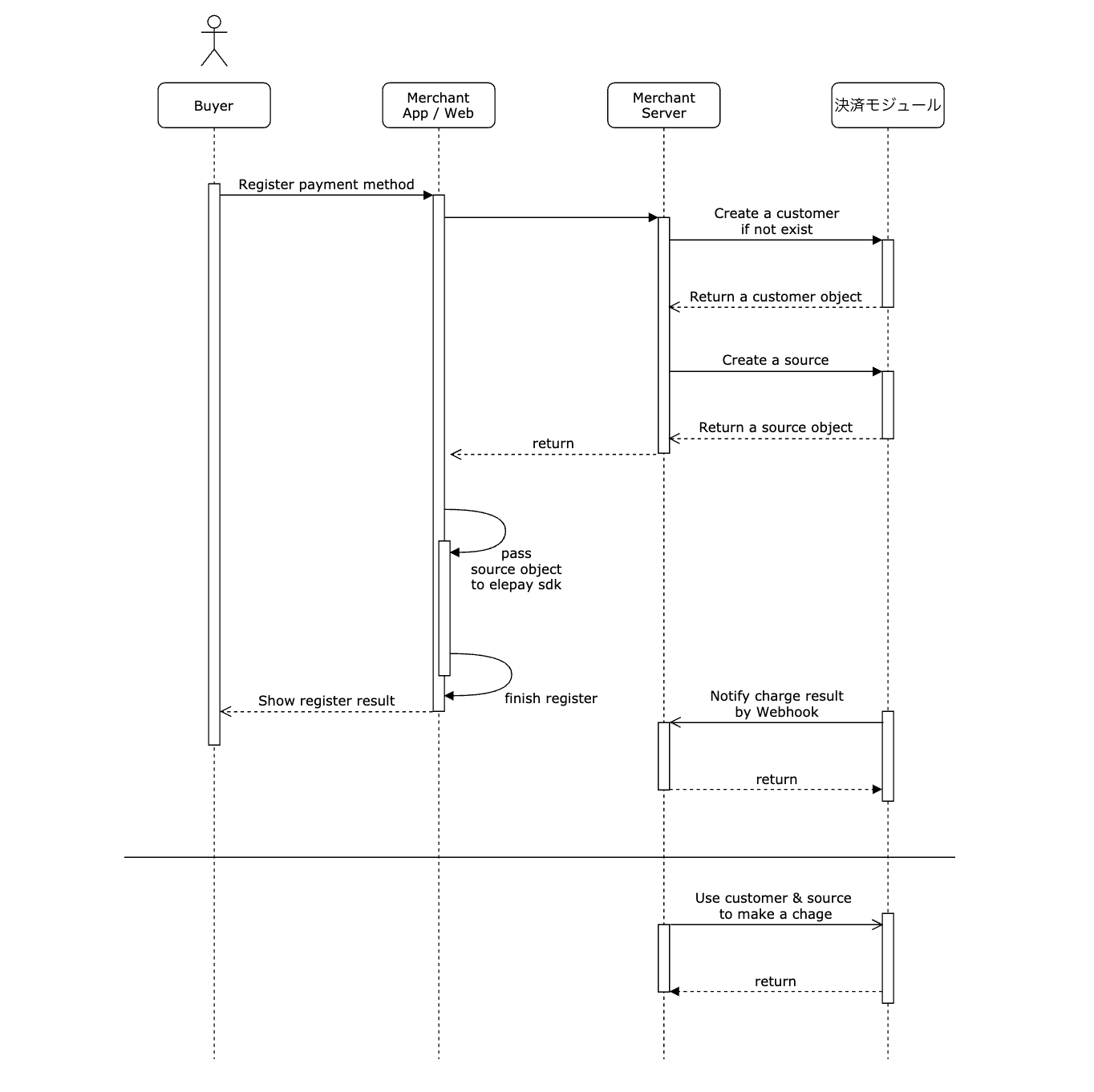
Create a customer using the API
1. Register a payment method
The user registers a payment method in a mobile app or on the web.
2. Create the customer
Your server calls the Create Customer API endpoint to create a customer linked to the user. When registering multiple payment methods, use the existing customer.
3. Create a new Source object
Your server calls the Create Source API endpoint to create a Source object.
4. Source object
Pass the Source object returned by the stera smart one server to the Client SDK on the client side.
5. Registration (authorization) processing
The Client SDK on the client side performs the registration process using the Source object.
6. Registration (authorization) result
When the registration process is complete, the server of the specified payment channel returns the registration result.
7. Receive the Webhook event
If registration succeeds, stera smart one sends a source.activated event notification to the URL configured for the Webhook.
8. Charge on a recurring basis
Using the CustomerId and SourceId, your server calls the Create Charge API endpoint to process the payment.
Payment methods available for registration
The following payment methods are currently supported.
-
Credit cards
-
Paidy
The following payment methods require a separate application.
-
PayPay
-
Merpay
-
au PAY
-
d Payment (d払い)
-
WeChat Pay
-
Alipay+
Last updated on