

AllValue
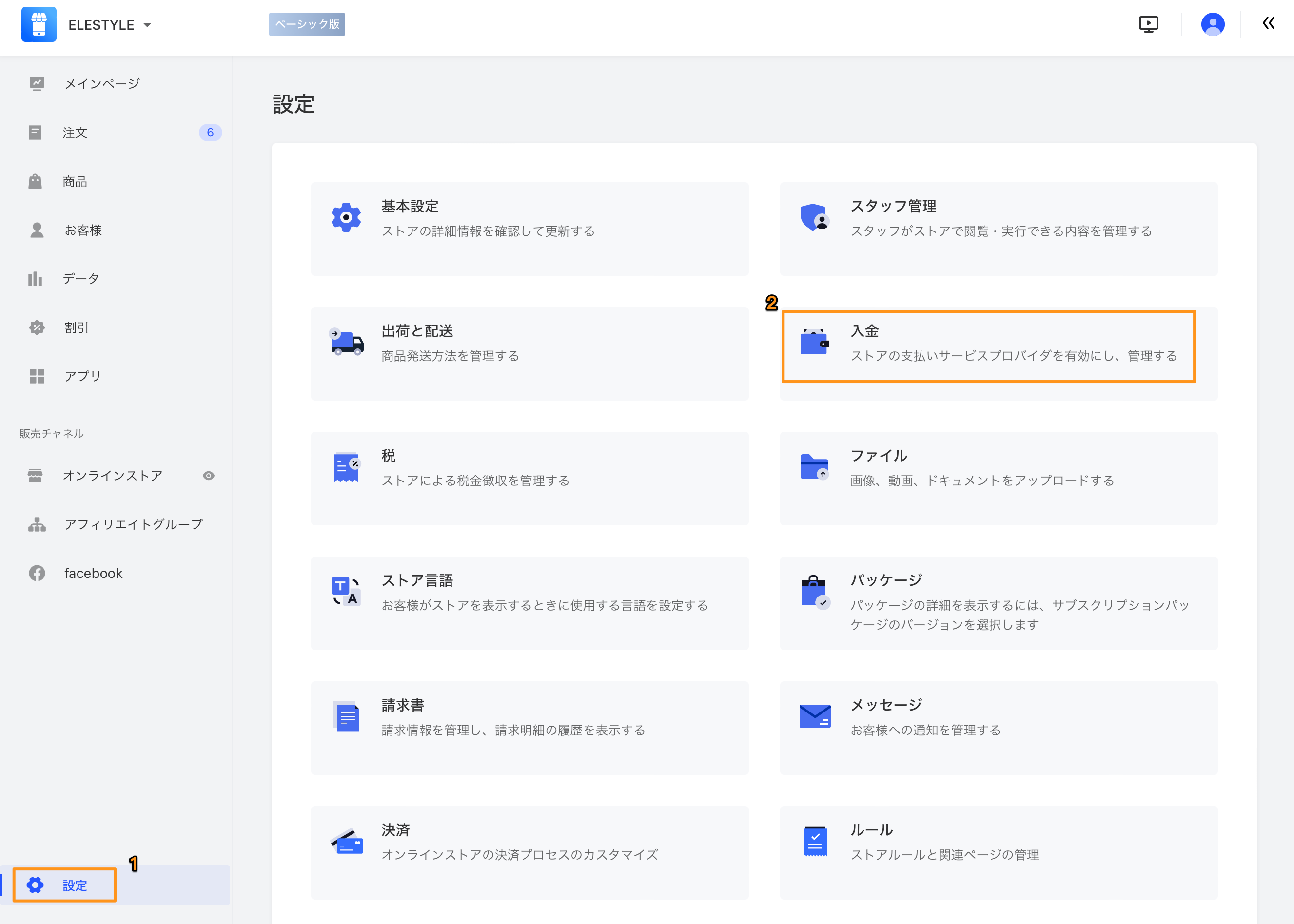
- Log in to the AllValue admin console and click "設定" (Settings) → "入金" (Payments).
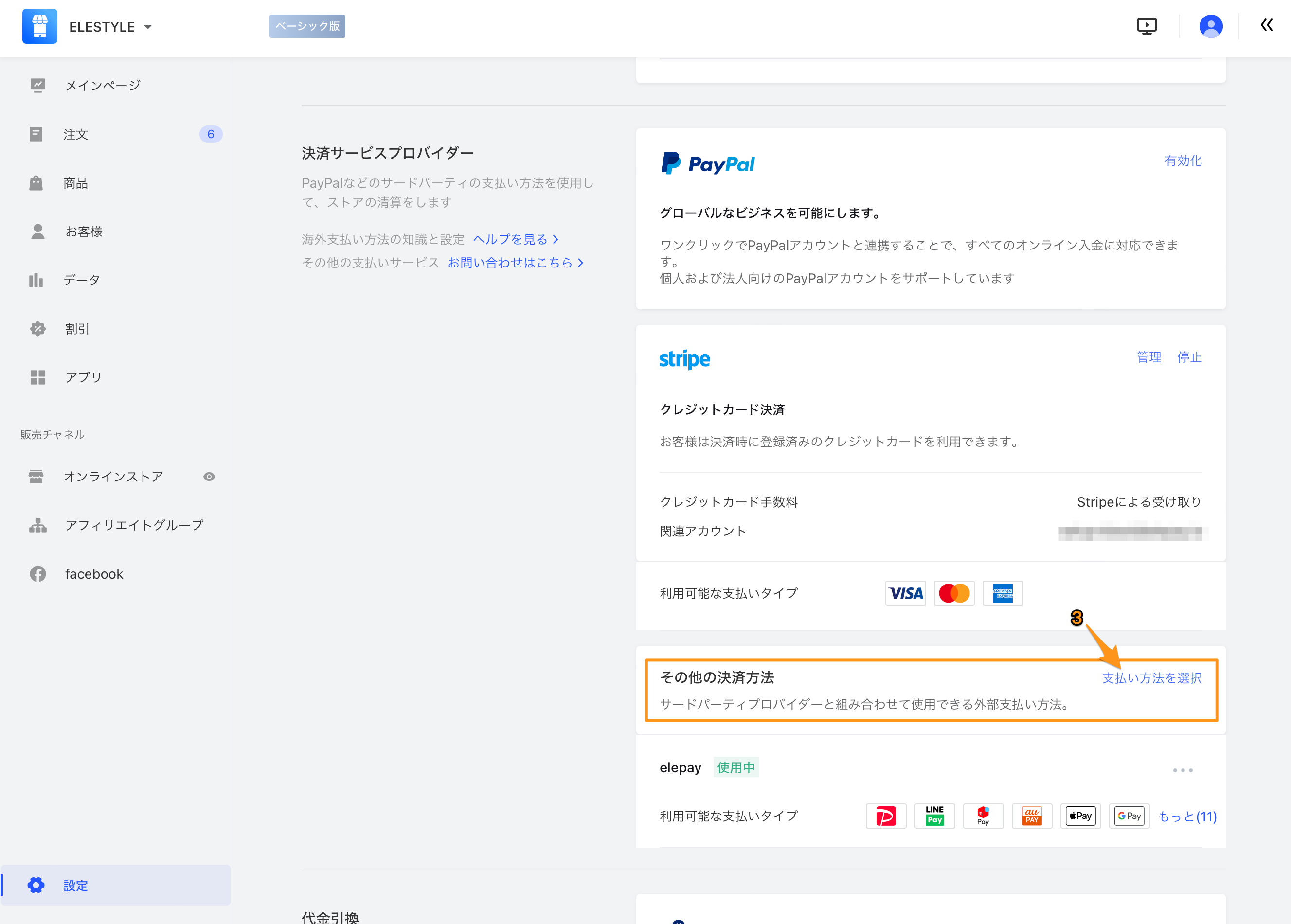
- On the "入金" (Payments) screen, under the "その他の決済方法" (Other payment methods) section, click the "支払い方法を選択" (Select payment method) link.
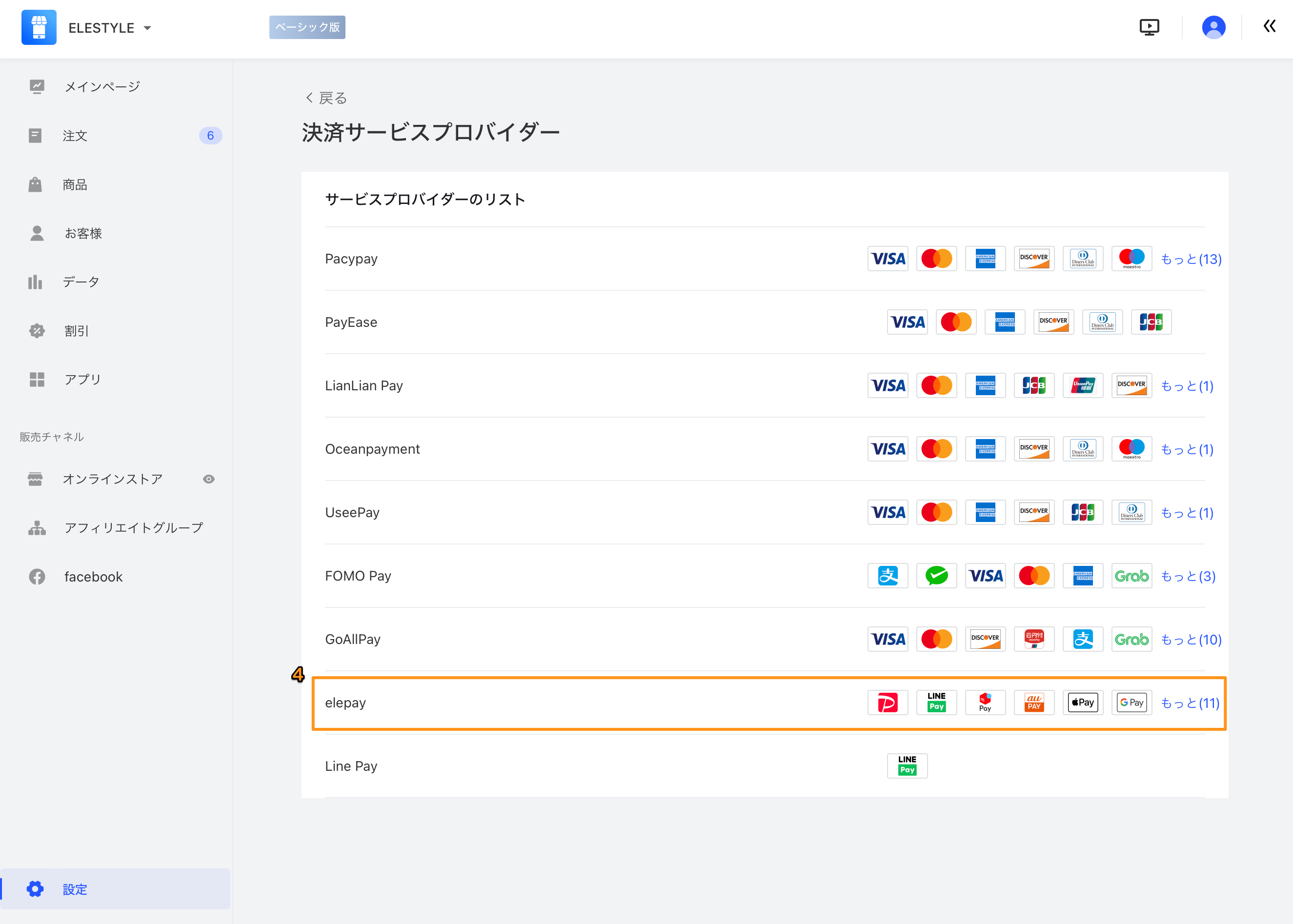
- From the list of payment service providers, click "elepay".
- On the stera smart one settings screen, enter the App ID and Secret (contact the stera smart one support desk for the values to enter).
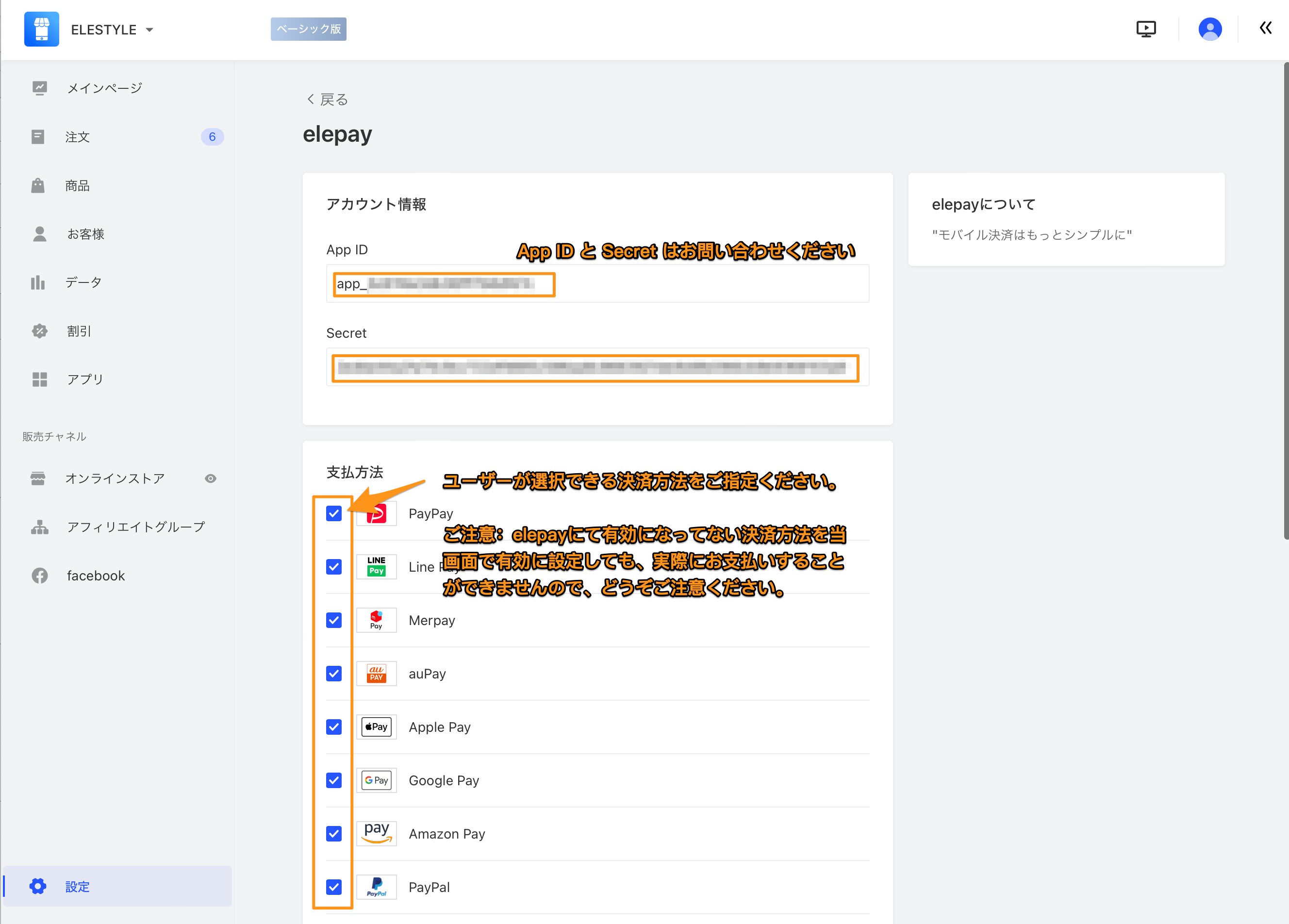
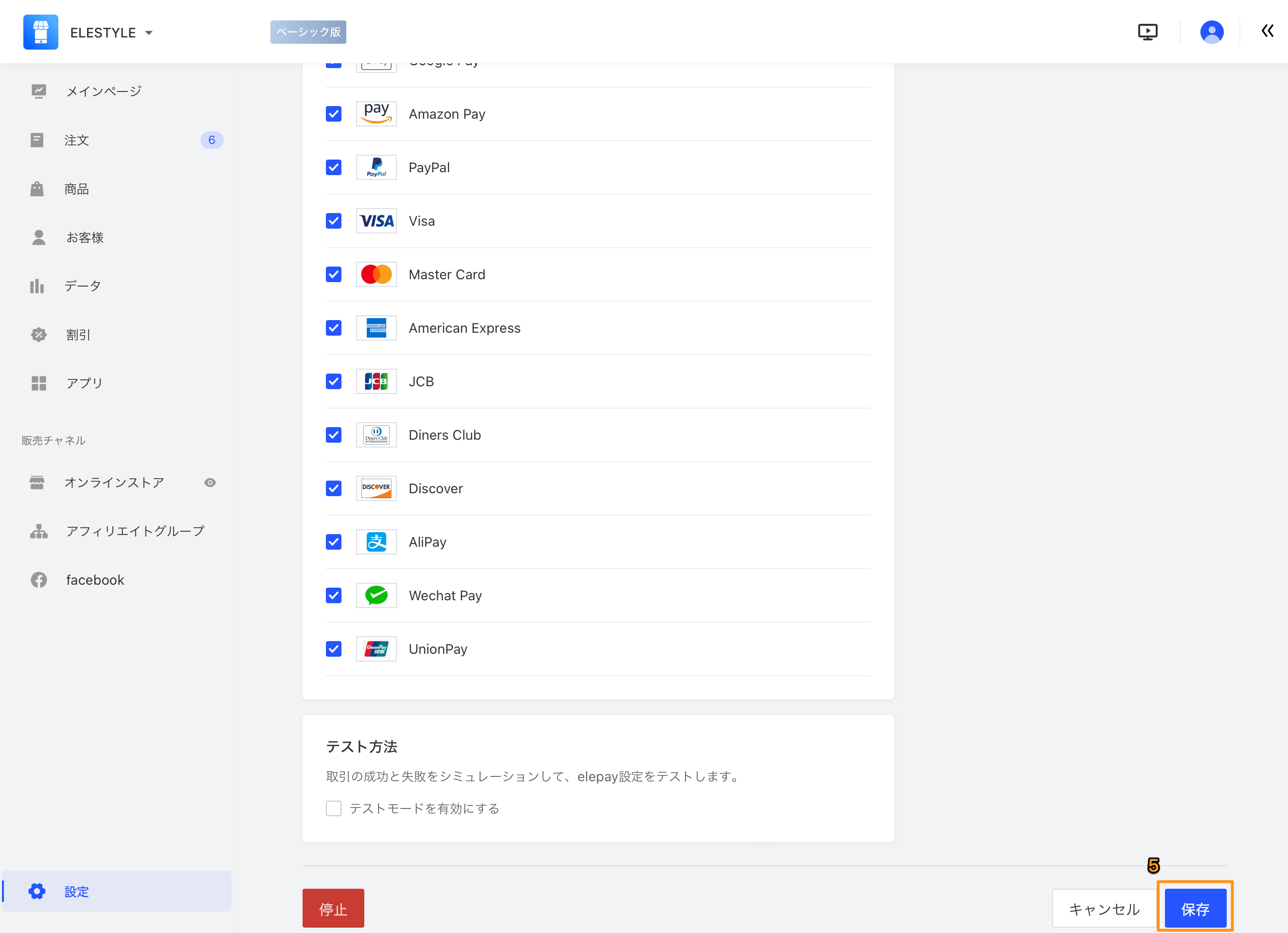
- Specify the payment methods that users can choose from. When you are done, click the "保存" (Save) button.
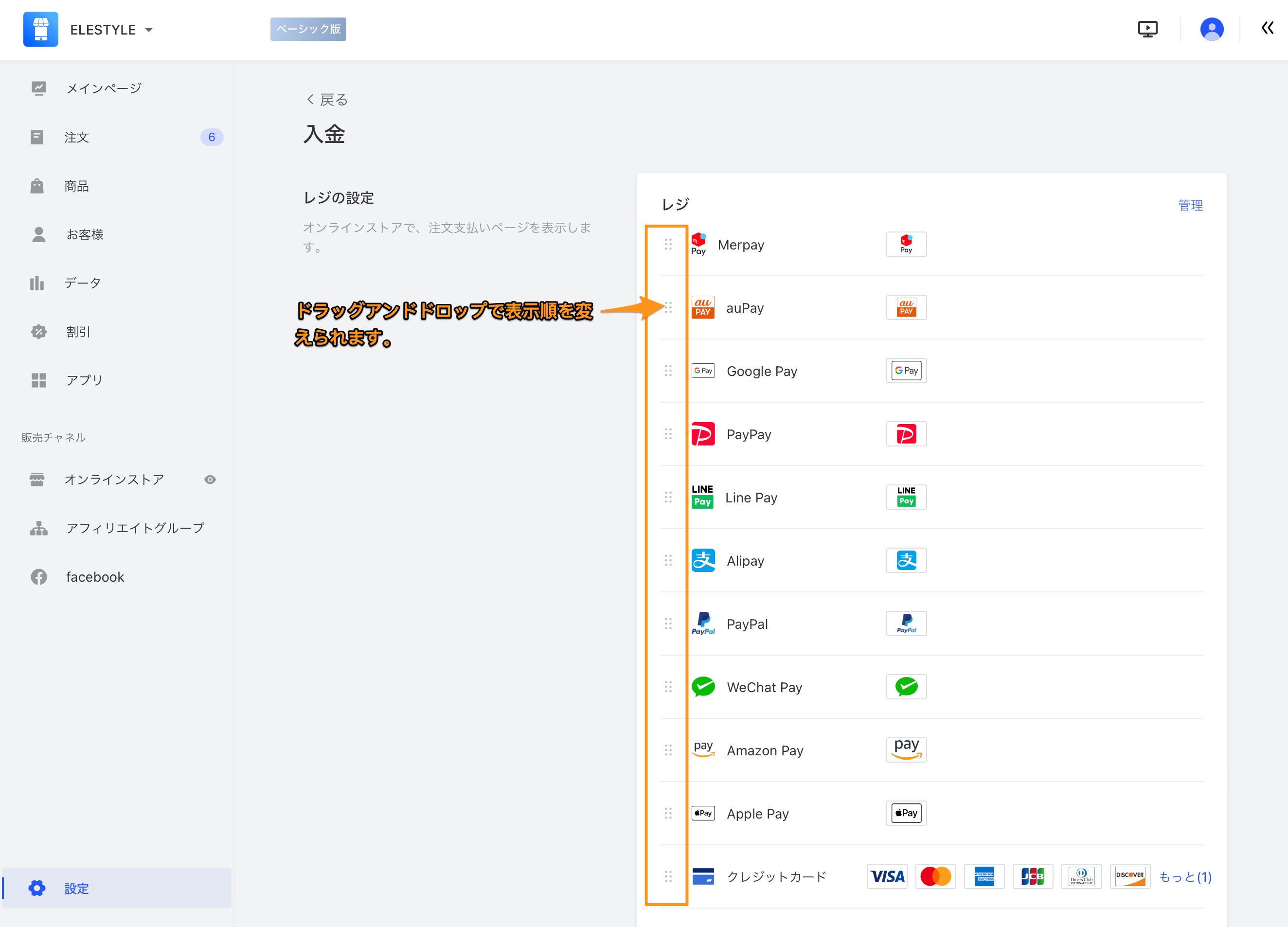
- After you return to the "入金" (Payments) screen, you can adjust the display order of payment methods under "レジの設定" (Checkout settings).
Last updated on