

EC-CUBE plugin
Overview
stera smart one provides a dedicated plugin for EC-CUBE.
Currently, only the "EC-CUBE downloadable edition" is supported. The timeline for supporting the "EC-CUBE cloud edition" has not been decided.
Install the plugin
This section explains how to install the stera smart one for EC-CUBE plugin.
-
Download the plugin
Download the latest plugin as a ZIP file from the release pages below.
elepay for EC-CUBE v4 (up to 4.2)
Note
Do not extract the downloaded ZIP file.
v4.2 is not supported yet. Use the latest v4.1.x.
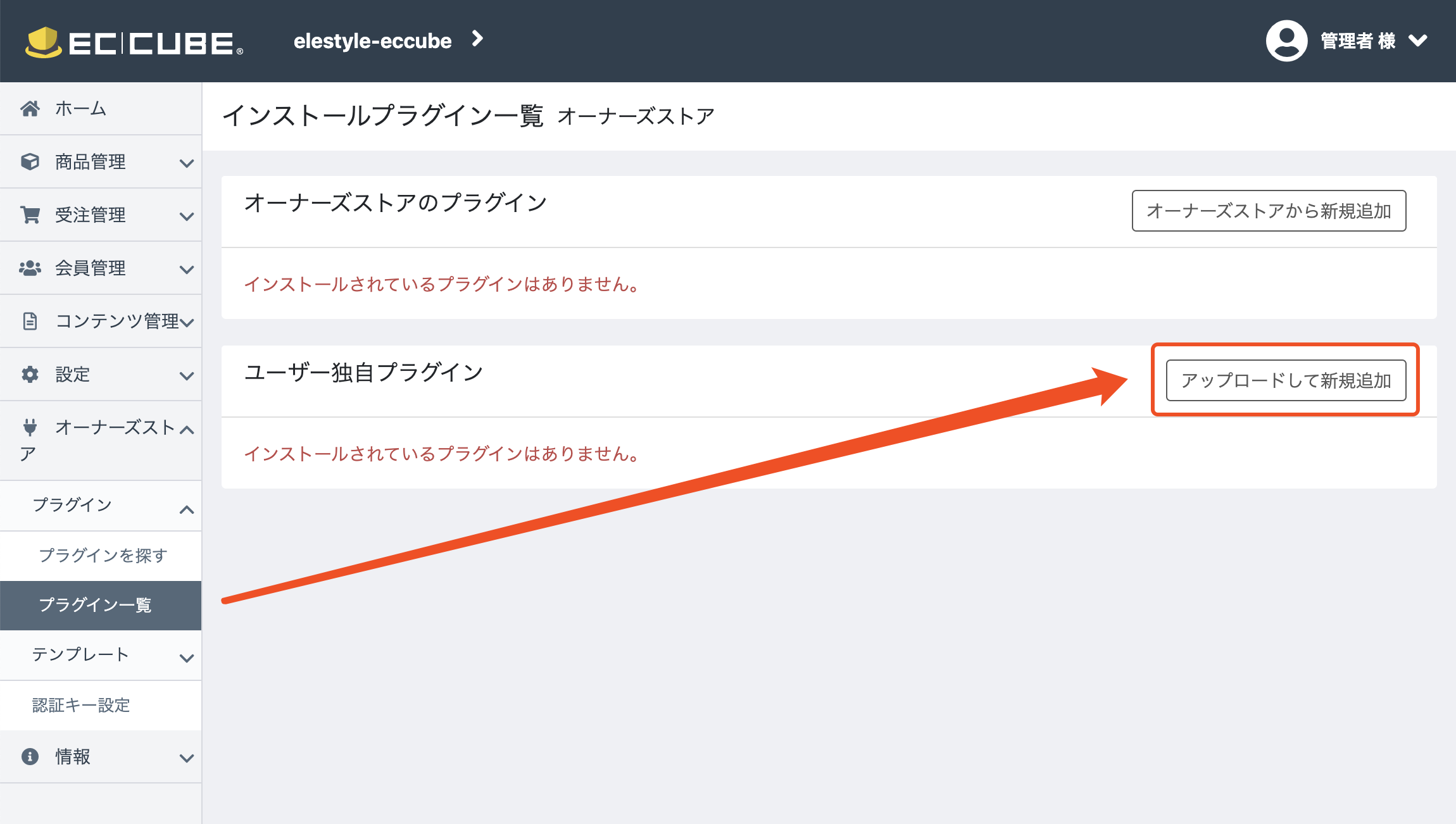
- Log in to the EC-CUBE admin console with administrator privileges. Click "オーナーズストア" (Owners Store) → "プラグイン一覧" (Plugin List) → "ユーザー独自プラグイン" (Custom Plugins) → the "アップロードして新規追加" (Upload and Add New) button.
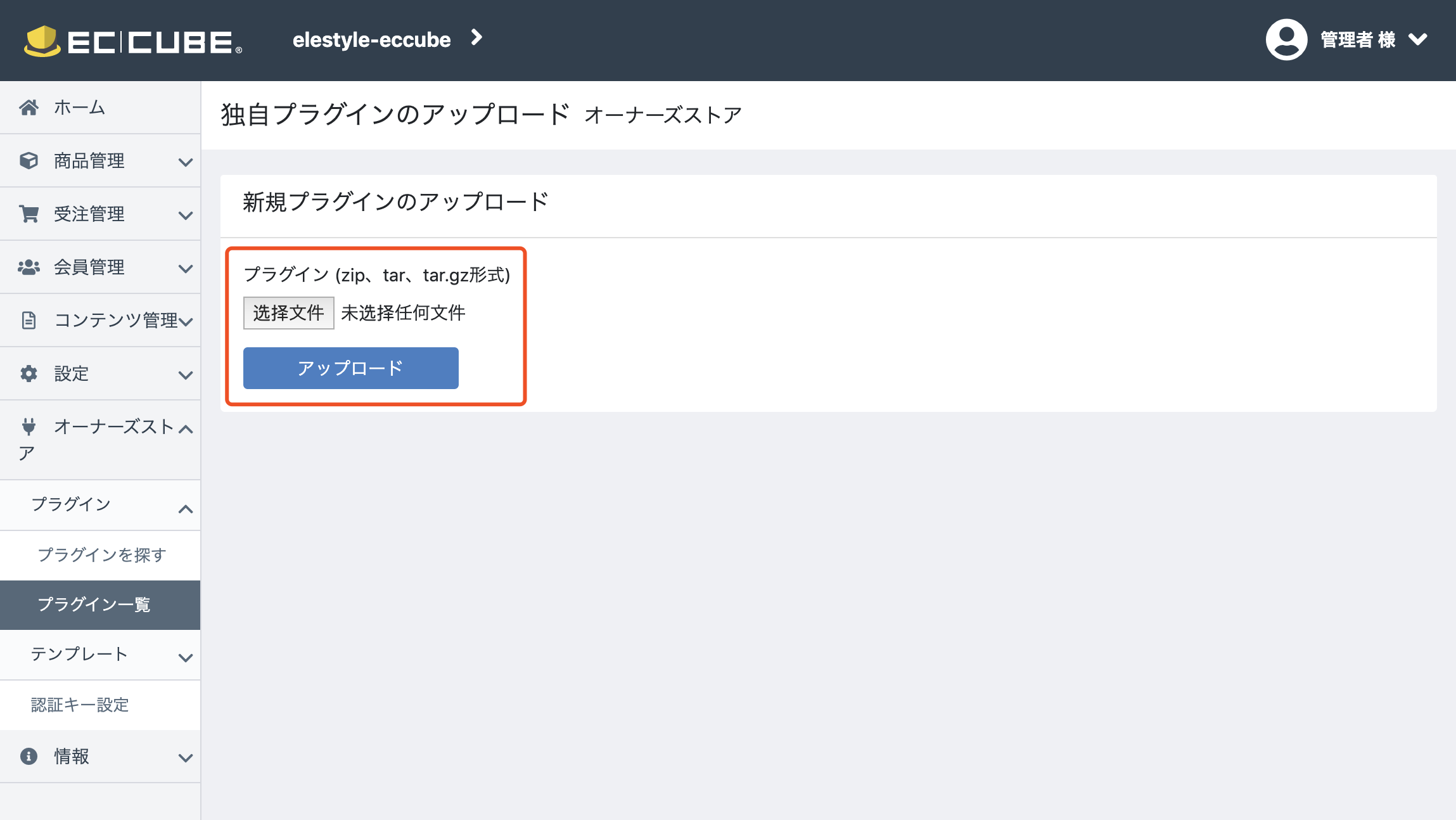
- On the "新規プラグインのアップロード" (Upload New Plugin) screen, upload the ZIP file you downloaded in STEP 1.
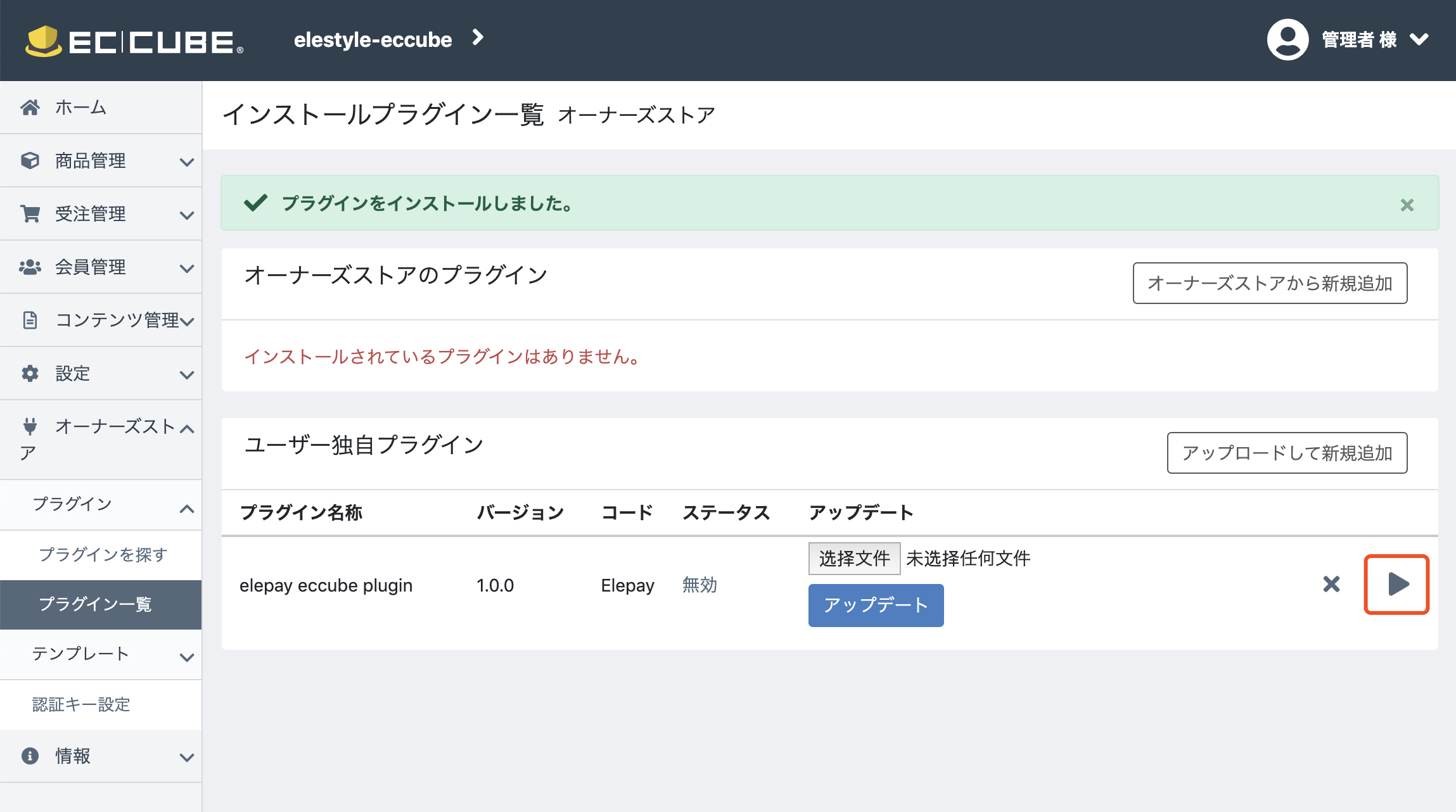
- Click the "▶︎" button for the installed plugin "elepay eccube plugin" to enable it.
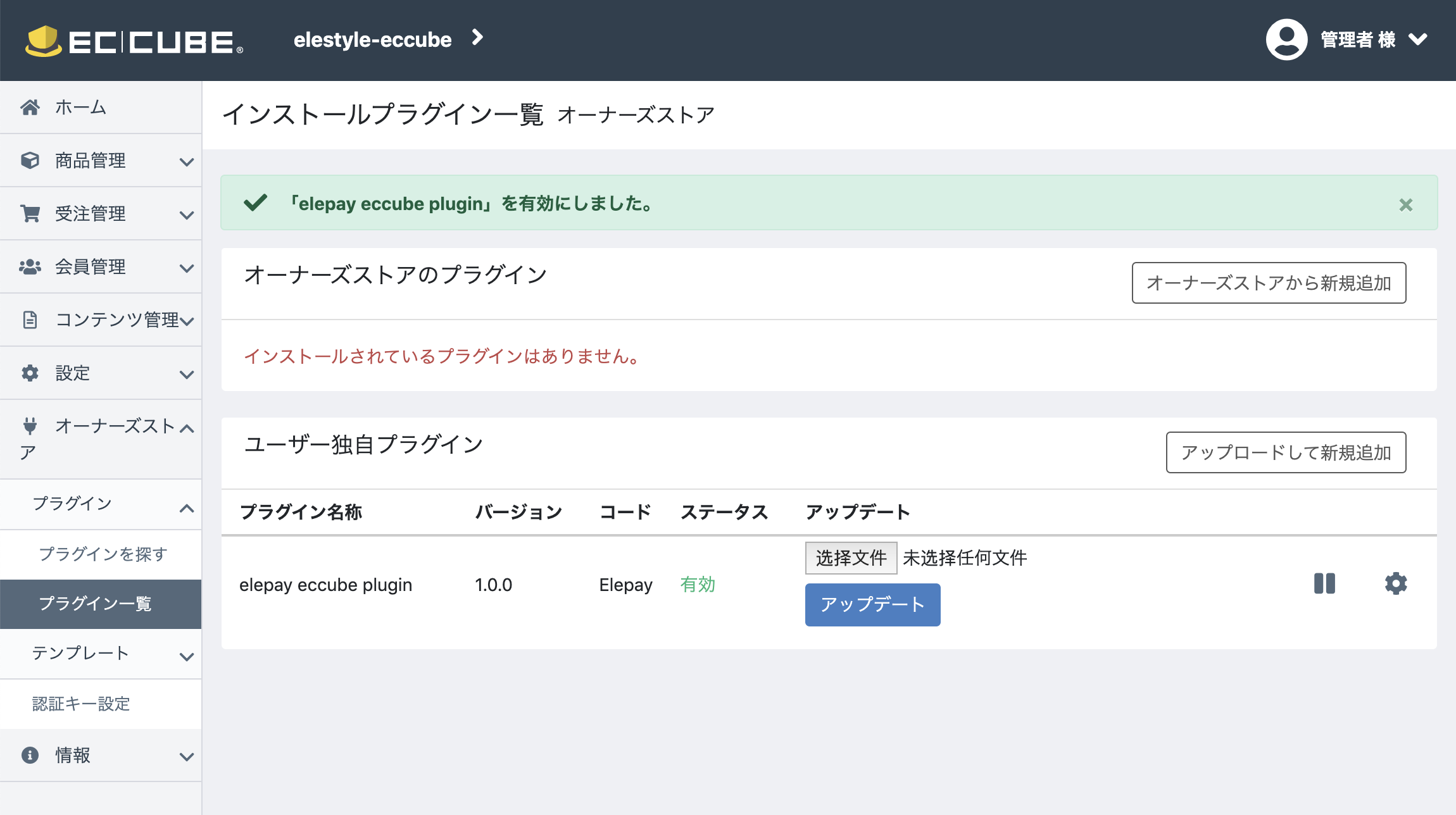
- When the plugin's "ステータス" (Status) shows "有効" (Enabled), the plugin is ready to use.
This completes the plugin installation.
Initial plugin setup
This section explains how to perform the initial setup of the plugin.
- Log in to the EC-CUBE admin console with administrator privileges. Click "オーナーズストア" (Owners Store) → "プラグイン一覧" (Plugin List) → "elepay eccube plugin" → "⚙".
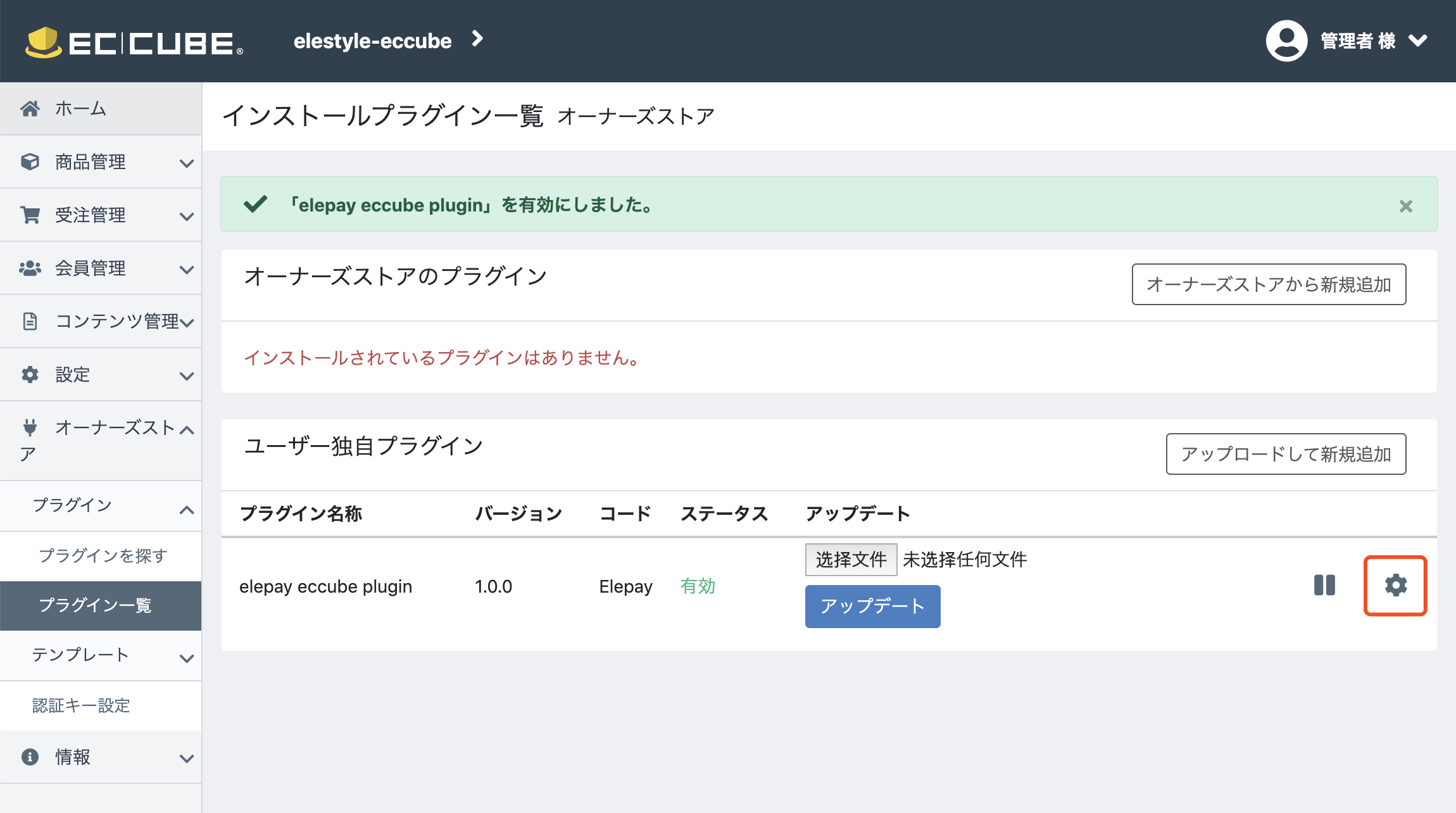
-
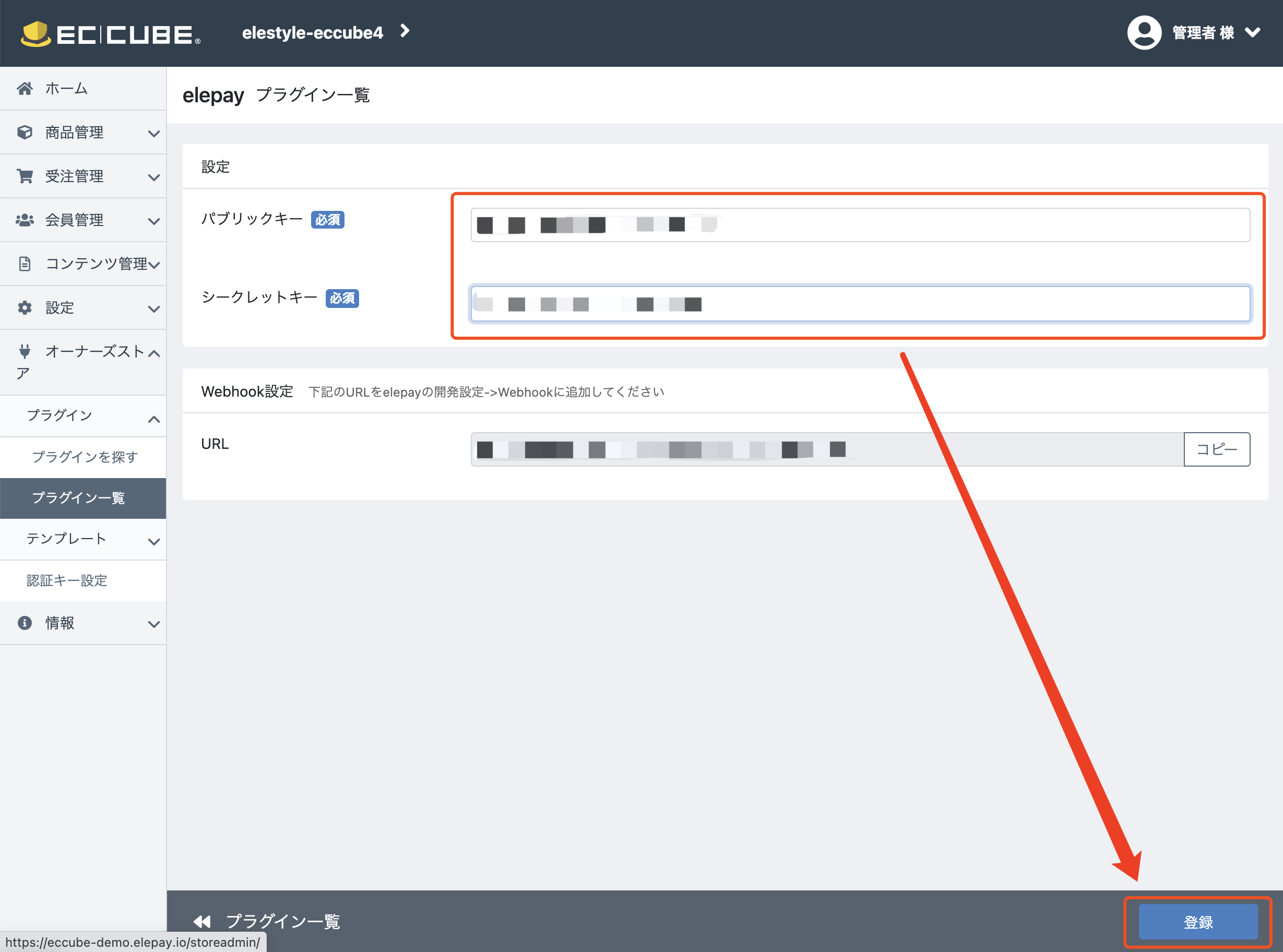
In "パブリックキー" (Public key) and "シークレットキー" (Secret key), enter the development keys obtained from the stera smart one dashboard.
For how to obtain stera smart one development keys, see "Overview".
Caution: When you use development keys for the test environment (keys starting with pk_test_, sk_test_), no actual payment is made. Even if the order status shows "支払い済み" (Paid), never ship the products!
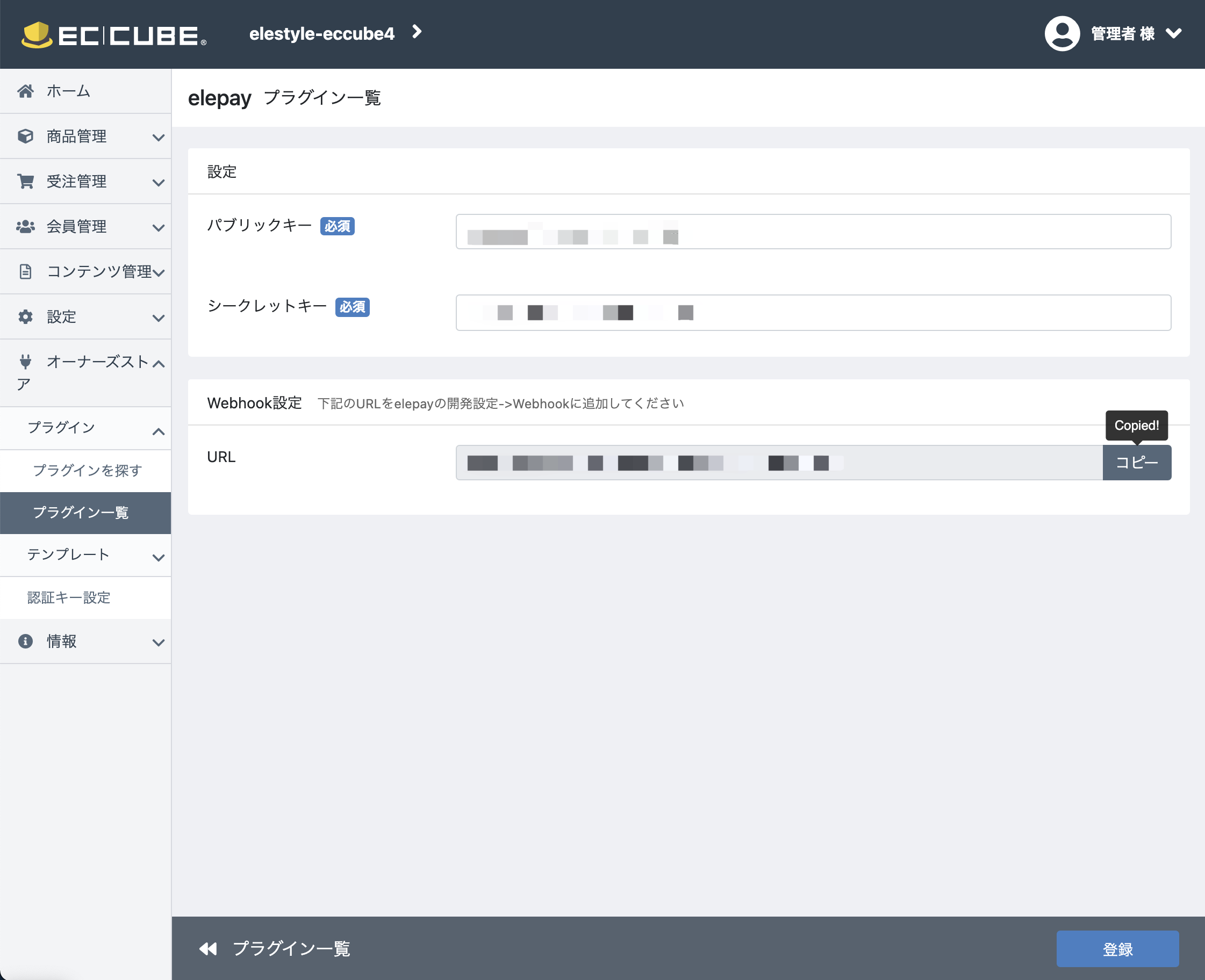
- Copy the Webhook link.
- In the stera smart one dashboard, go to "開発設定" (Developer settings) → "Webhook" and click the "新規" (New) button.
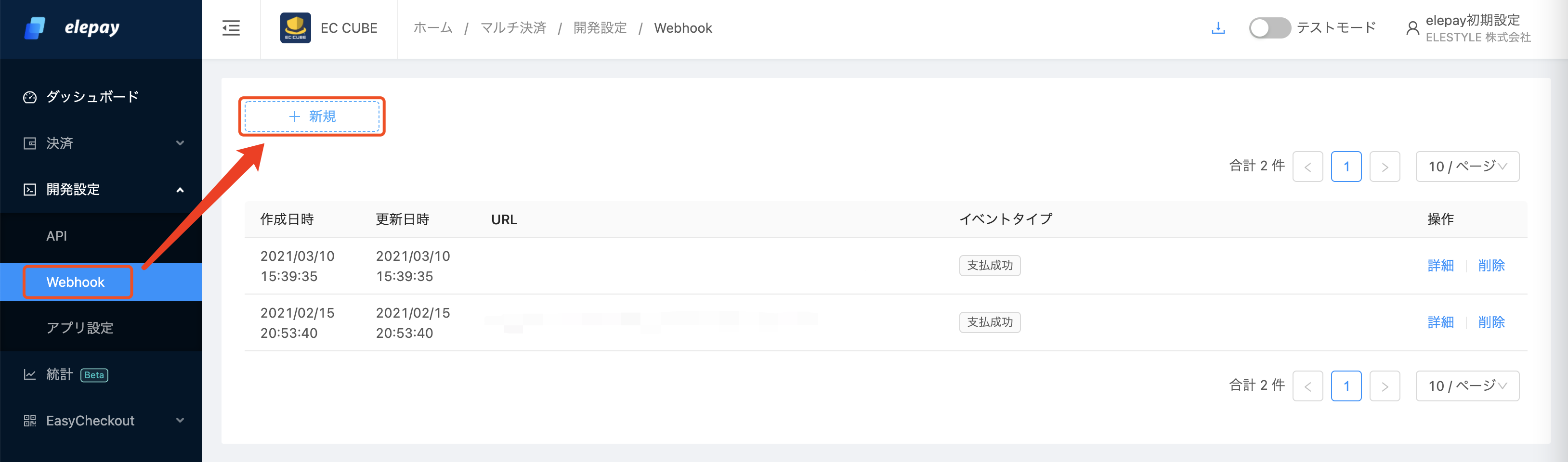
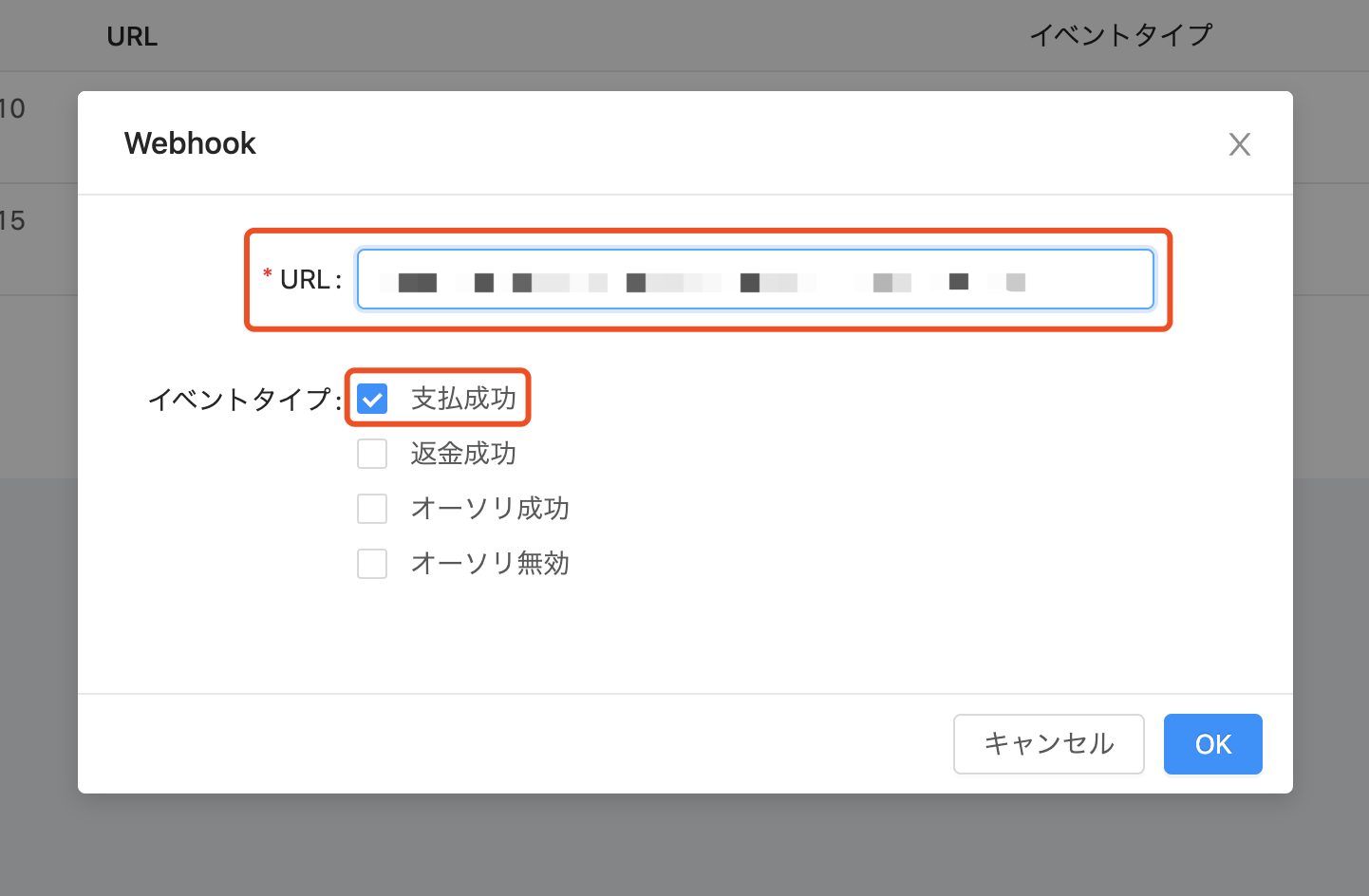
- Paste the Webhook link you copied in STEP 3 into "URL", select "支払成功" (Payment succeeded) under "イベントタイプ" (Event type) below, and then click "OK".
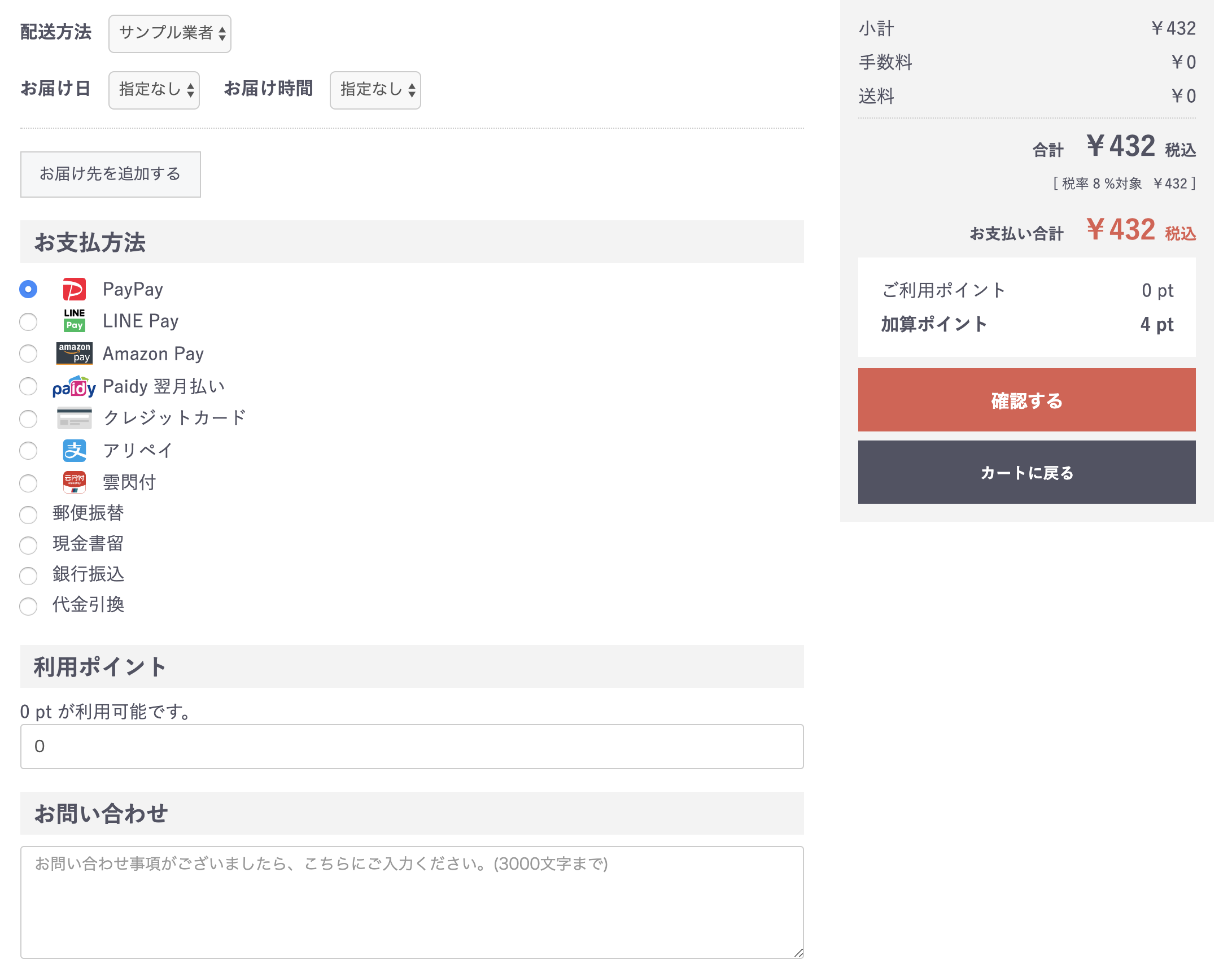
All settings are now complete. Buyers can see the list of stera smart one payment methods on the EC-CUBE payment method selection screen.
Only payment methods enabled in stera smart one are displayed. Payment methods not supported by the browser or device are hidden automatically.
Last updated on